
AnyPay
You have Monero. The person you owe wants Bitcoin. Normally you would switch wallets, or ask them for a different address. AnyPay removes that friction: pay any supported address using whatever coin you already hold. The conversion happens under the hood.
How it works
When you paste or scan a payment address, Cake Wallet detects which coin it belongs to. If it doesn't match your current wallet, AnyPay offers to swap your holdings into the coin the recipient wants and complete the payment in one flow — or, if you already have a wallet in that coin, to switch to it instead.
You approve the conversion and the send together. No manual wallet juggling.
Using AnyPay
1
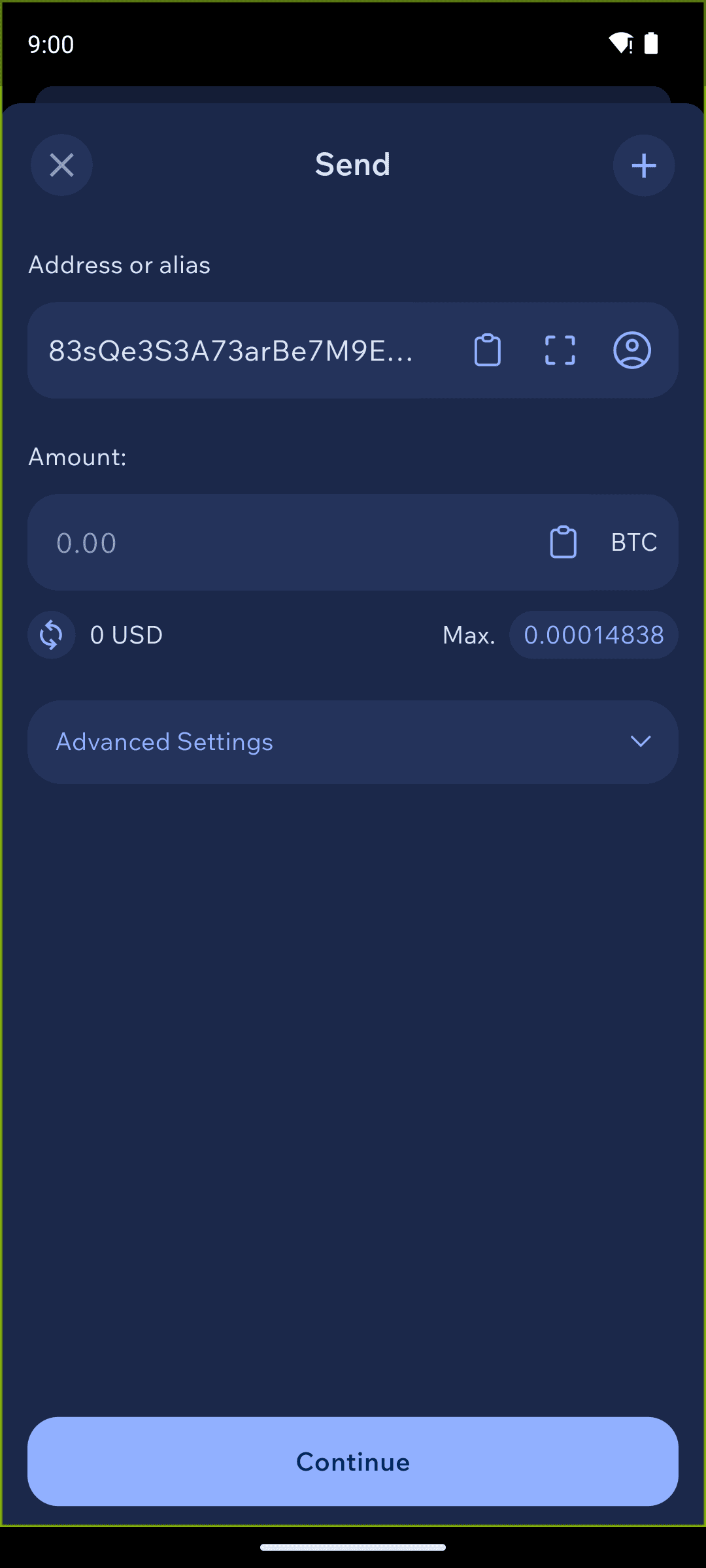
Paste the address in Send
On any wallet, tap Send and paste (or scan) the recipient's address.
2
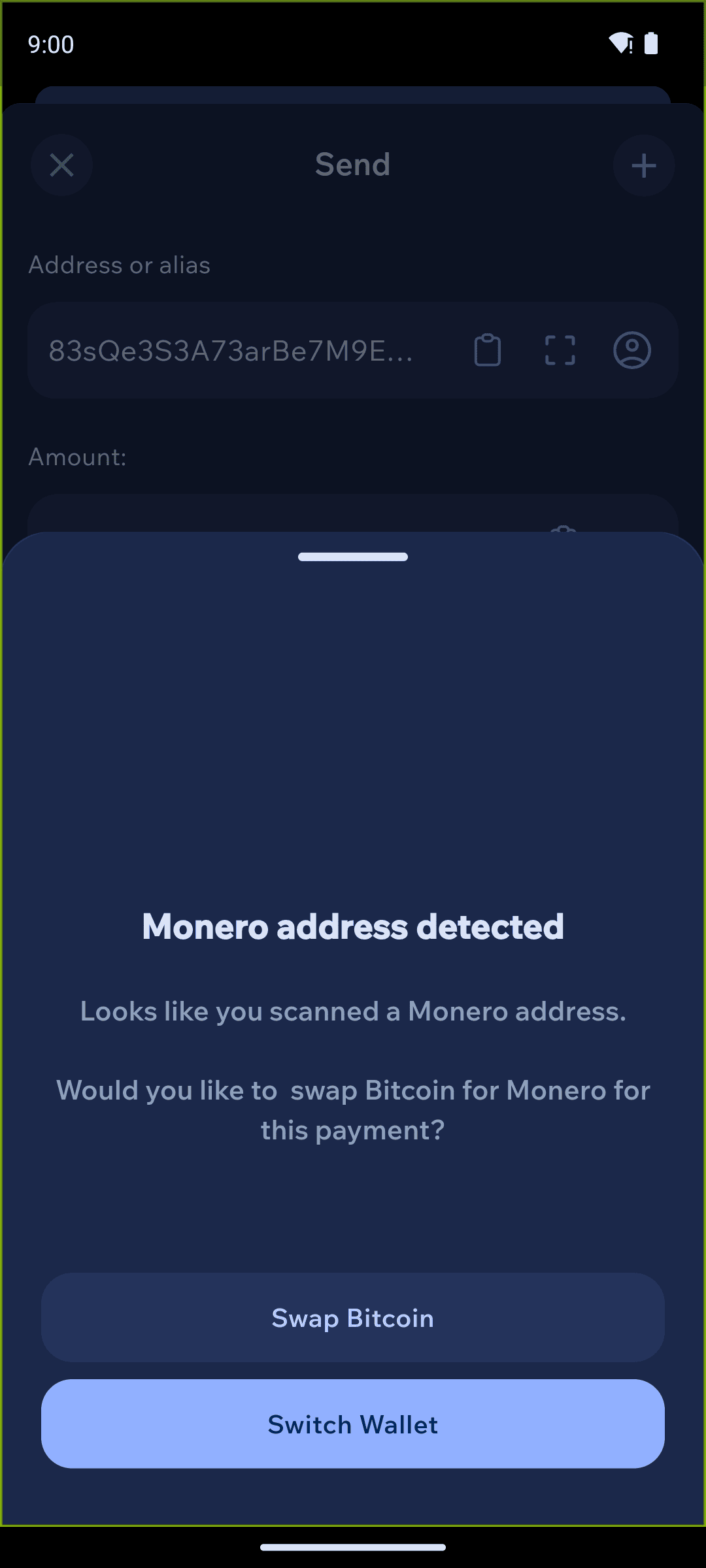
Choose switch or swap
Cake Wallet detects the address is for a different coin and asks what to do. Here, a Monero address pasted into a Bitcoin wallet shows "Monero address detected" with two choices: Swap Bitcoin (convert your BTC to XMR for this payment) or Switch Wallet (use a Monero wallet you already have).
3
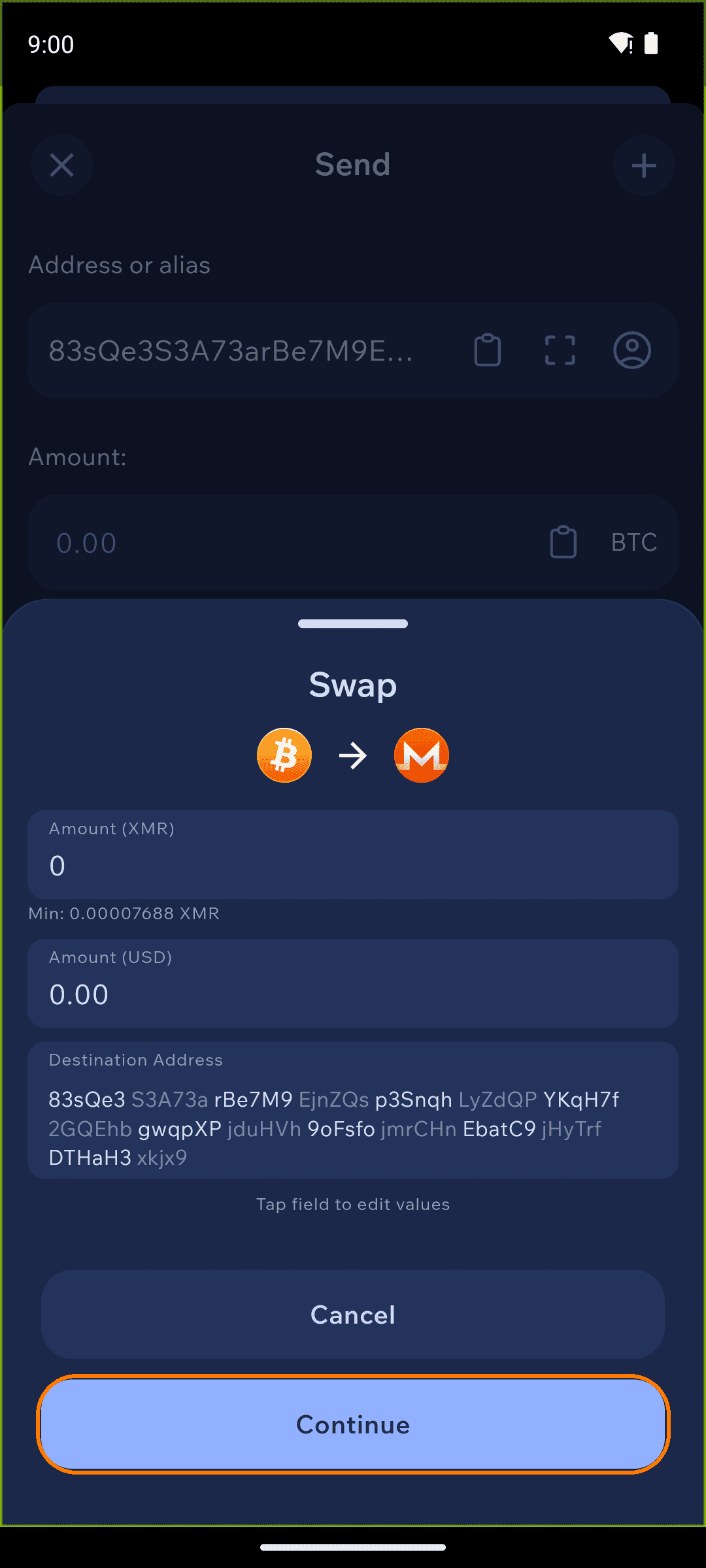
Review and confirm
If you swap, Cake Wallet fills in the recipient as the swap destination and shows the rate and limits. Review the amount and rate, then continue to complete the swap and the payment together.
What to expect on rates and fees
The conversion runs through Cake Wallet's swap providers — the same ones behind the Swap feature. That means:
- Fixed-amount swaps are always used to ensure that the recipient gets exactly the amount of crypto they need.
- A swap fee applies on top of the network fee for the send.
- Coverage depends on which swap pairs the providers support, and swaps have minimum amounts.
We recommend reviewing the quoted rate and fee before you approve.
Which coins can fund a payment
Any coin you can swap in Cake Wallet can fund an AnyPay payment. In practice the address detector recognizes Bitcoin, Litecoin, Monero, Ethereum and other EVM chains, Solana, and Tron.