
Wallet groups
A wallet group lets one seed back a wallet for each currency you use — write down one set of words, and you've backed up your Bitcoin, Litecoin, Ethereum, and more. Each group can hold a single wallet of each currency type.
Add a wallet to a group
1
Create a new wallet
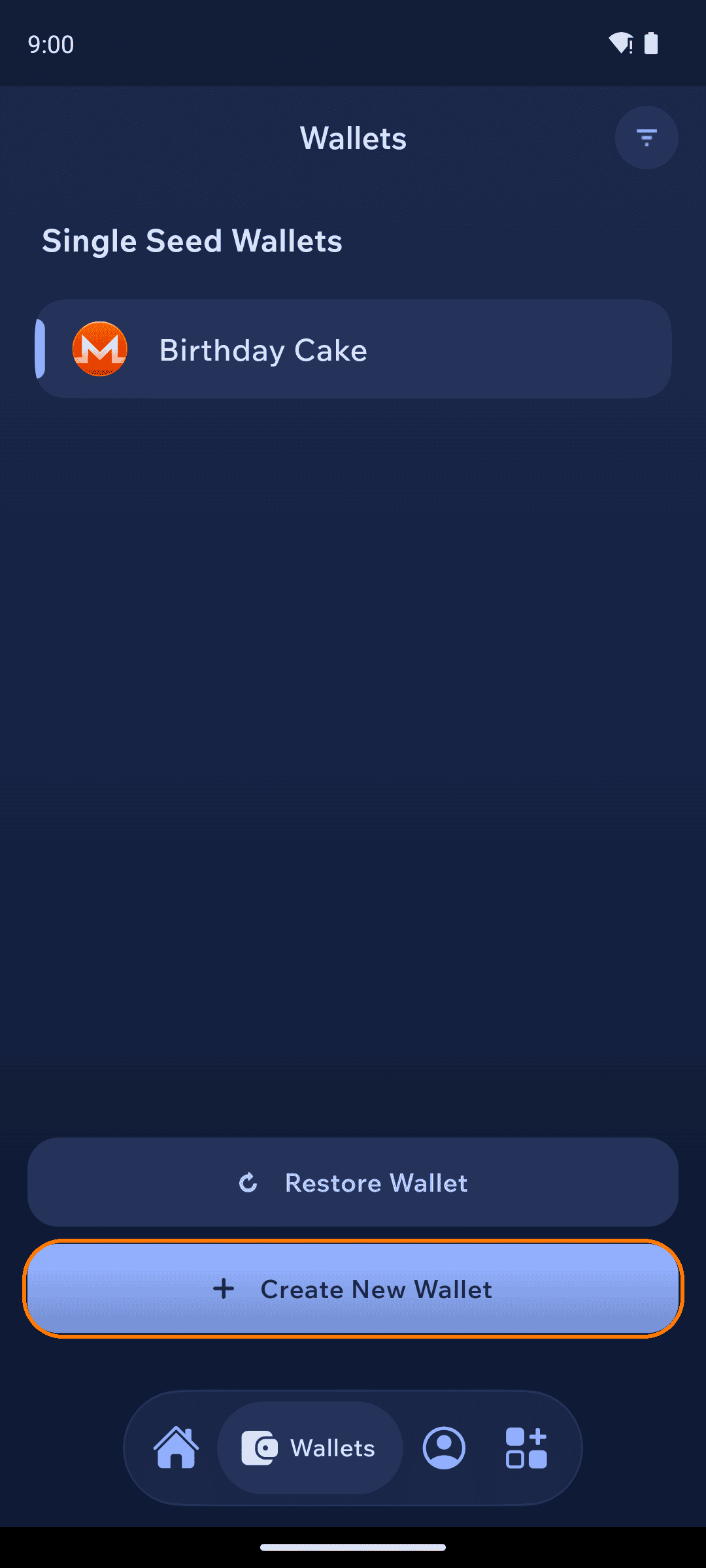
Open the Wallets tab from the bottom bar and tap + Create New Wallet, then pick the currency you want to add.
2
Choose Wallet Group
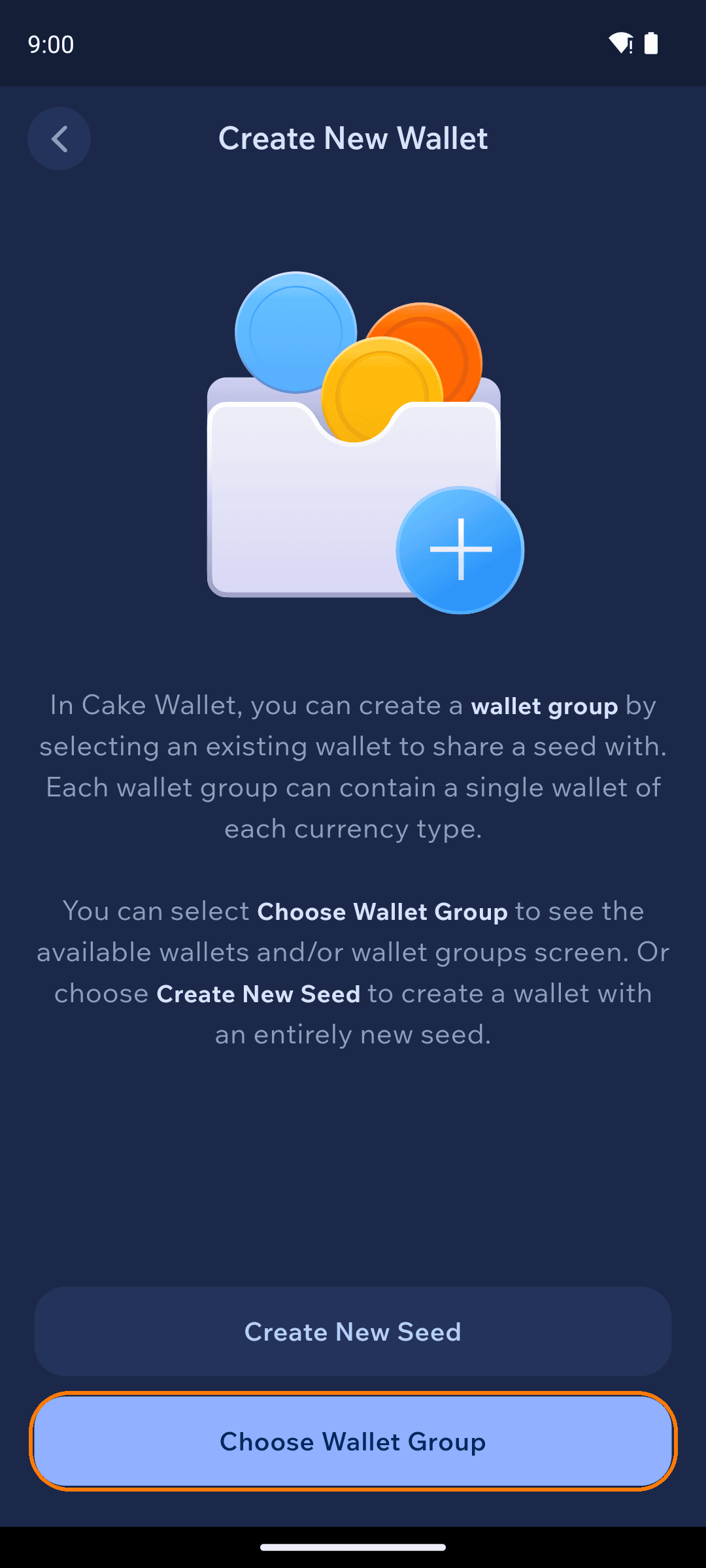
Cake Wallet asks whether this wallet should share a seed with an existing wallet (Choose Wallet Group) or get a brand-new seed (Create New Seed).
3
Pick the group
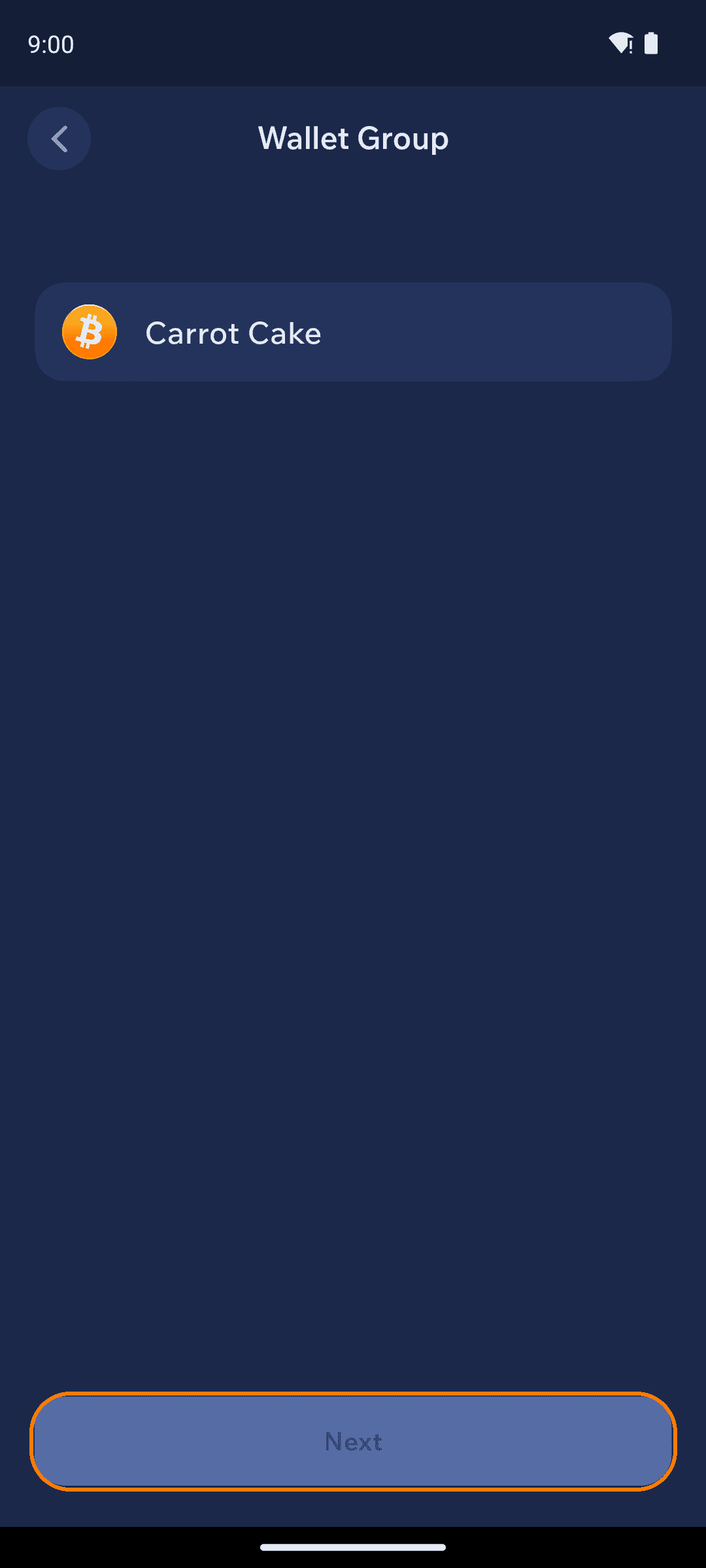
Select the group (or wallet) you want to share a seed with and tap Next.
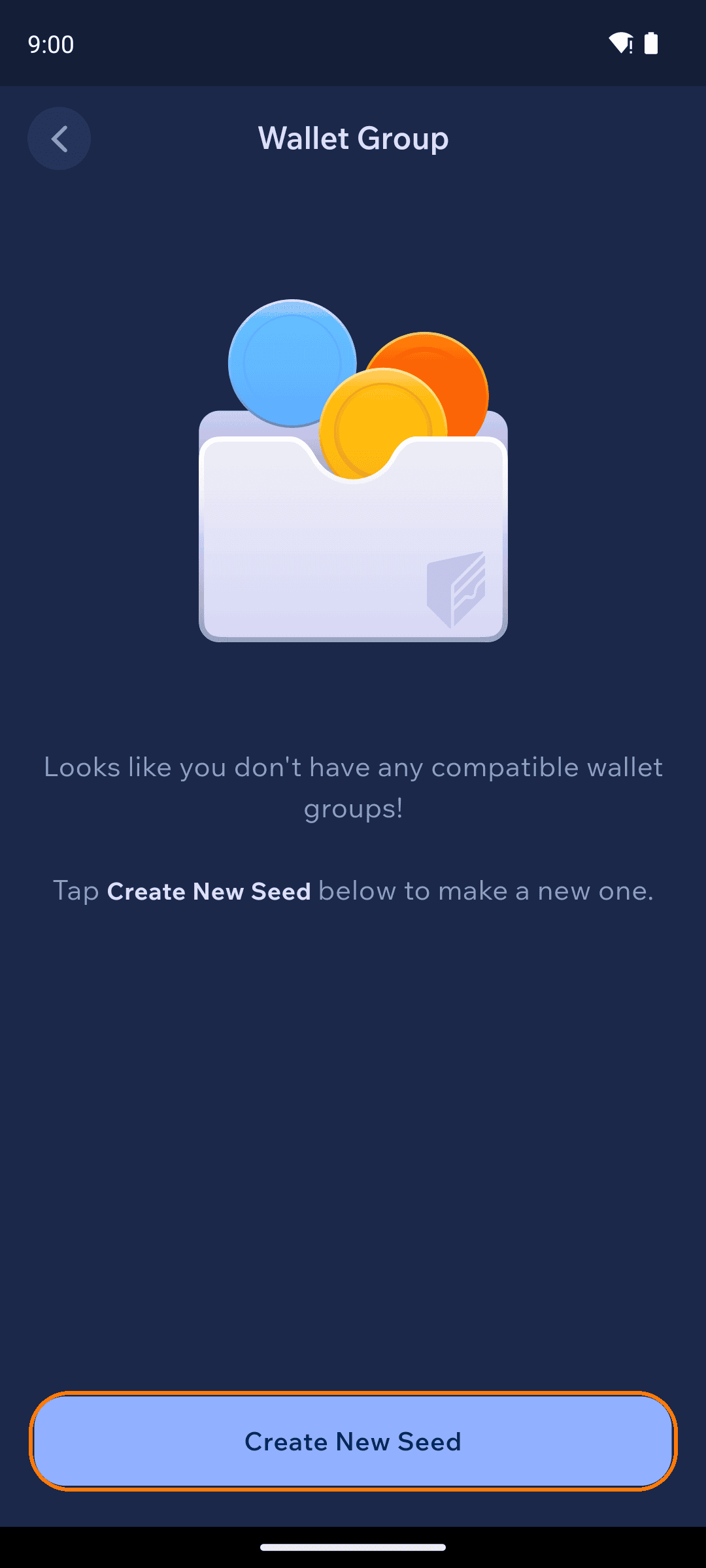
If Cake Wallet says you don't have any compatible wallet groups, your existing wallets use seed types that can't be shared (for example, a Polyseed Monero wallet) — tap Create New Seed to start a BIP39 group instead.
4
Name it and you're done
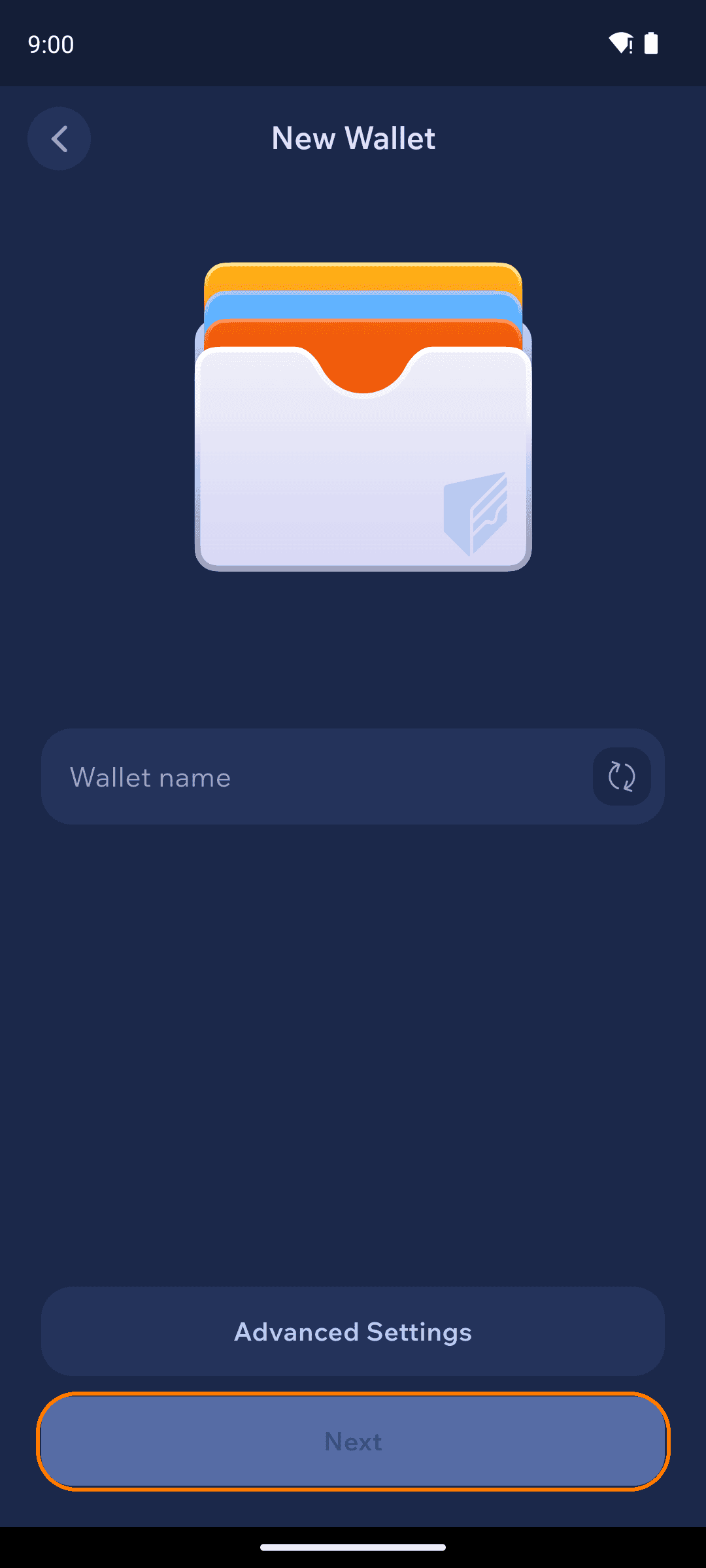
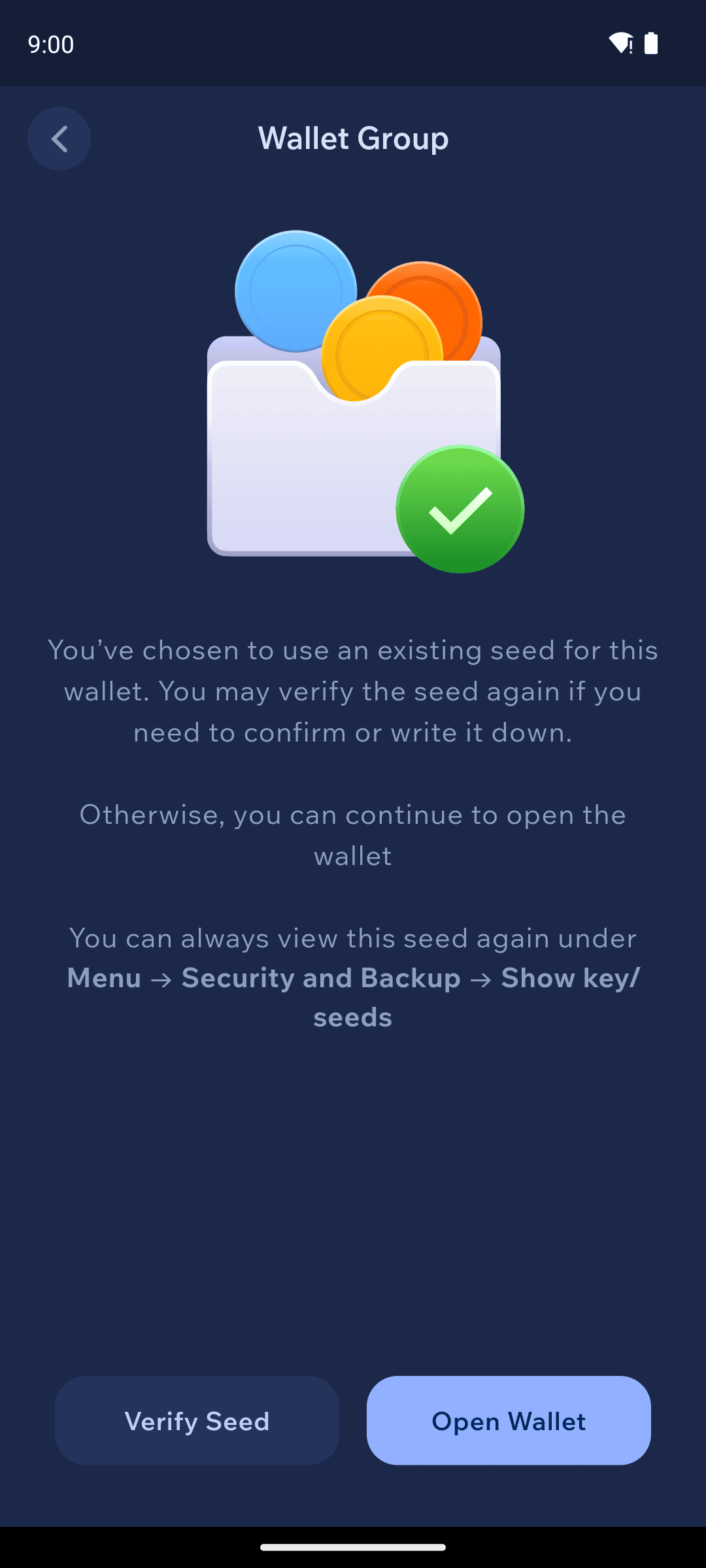
Name the new wallet and tap Next. Because it shares an existing seed, there's nothing new to write down — Cake Wallet confirms you're reusing a seed you've already backed up, with the option to verify it again.
Managing groups
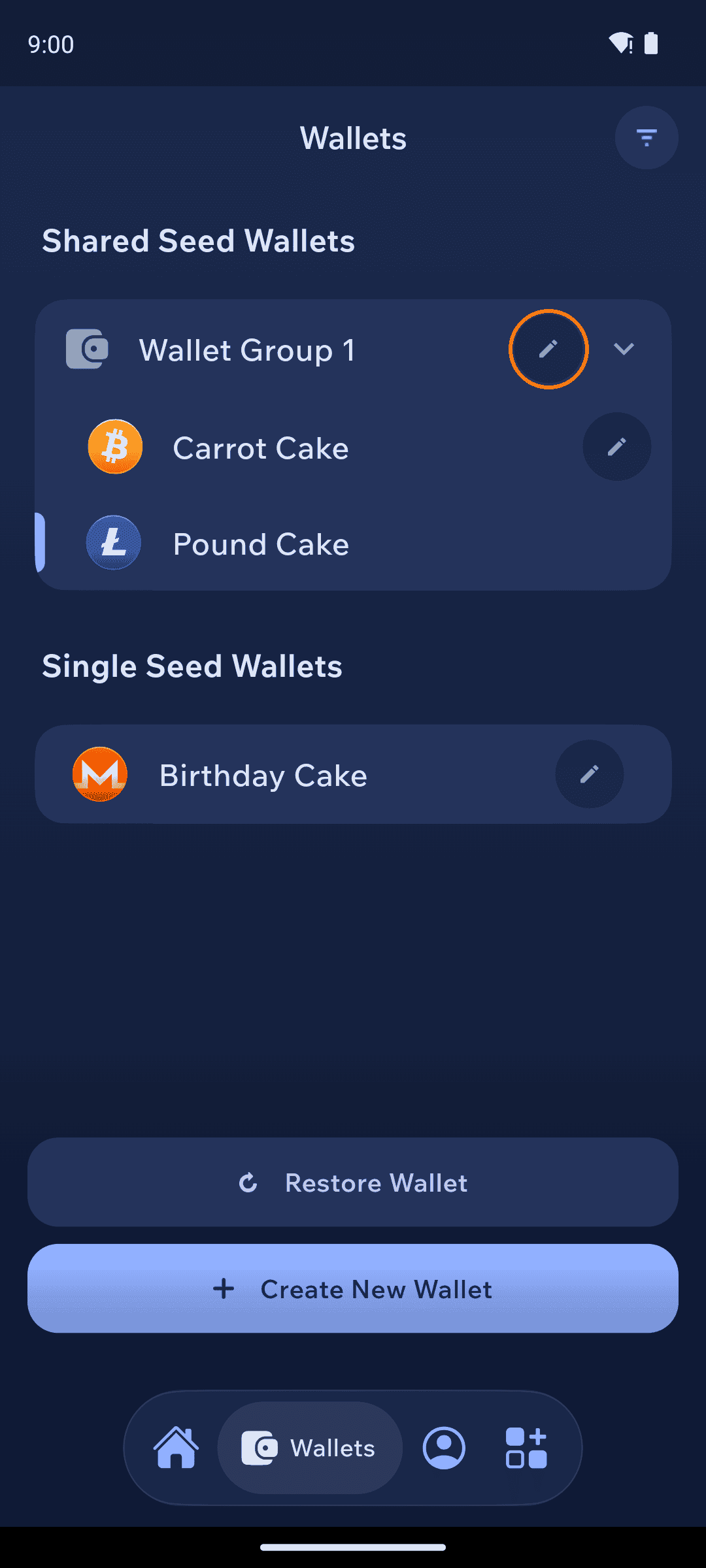
The Wallets tab lists your wallets under Shared Seed Wallets (grouped, e.g. "Wallet Group 1") and Single Seed Wallets. Tap the pencil icon to rename a group or a wallet.
Restoring a group
One seed restores every wallet in the group: restore it once for any currency, then add the other currencies to the same group with Create New Wallet → Choose Wallet Group — no extra words to keep track of.