
Seed and keys
Wallet keys
Your keys encode the private information in your wallet and are what allow you to spend coins and see incoming transactions. You may also use a wallet's keys to restore the wallet.
General terms specific to public-key cryptography where a private key and a public key make up a keypair. A public key is derived from the private key.
- The public key is safe to share, and gives the recipient the ability to encrypt something or verify a signature.
- The private key gives the owner the ability to sign or decrypt something, and as such, should be kept private.
Wallet seed
Your seed is just a version of your private key written in a way that’s easier for you to write down. Your seed and keys are actually the same things, just in different forms! You can use wallet's seed to restore your wallet too.
Viewing your wallet's seed/keys
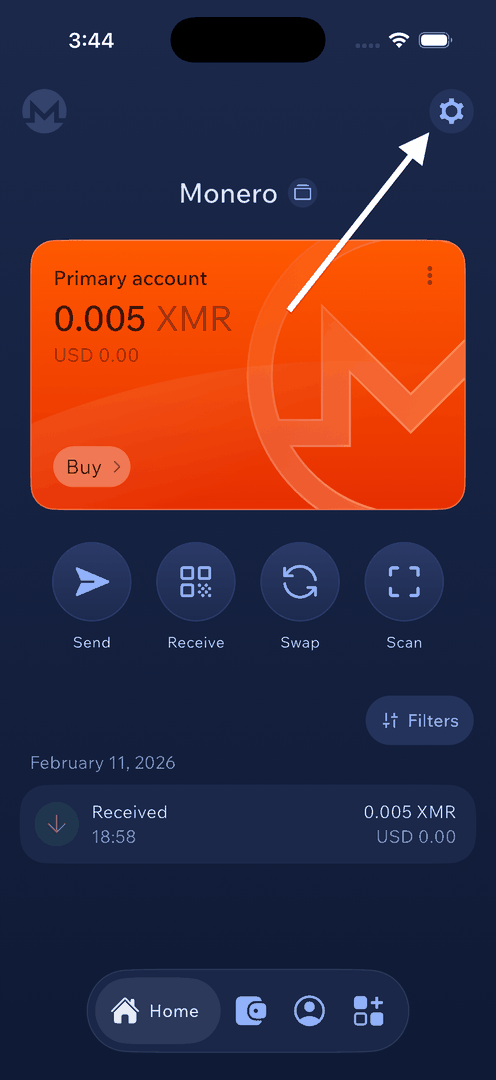
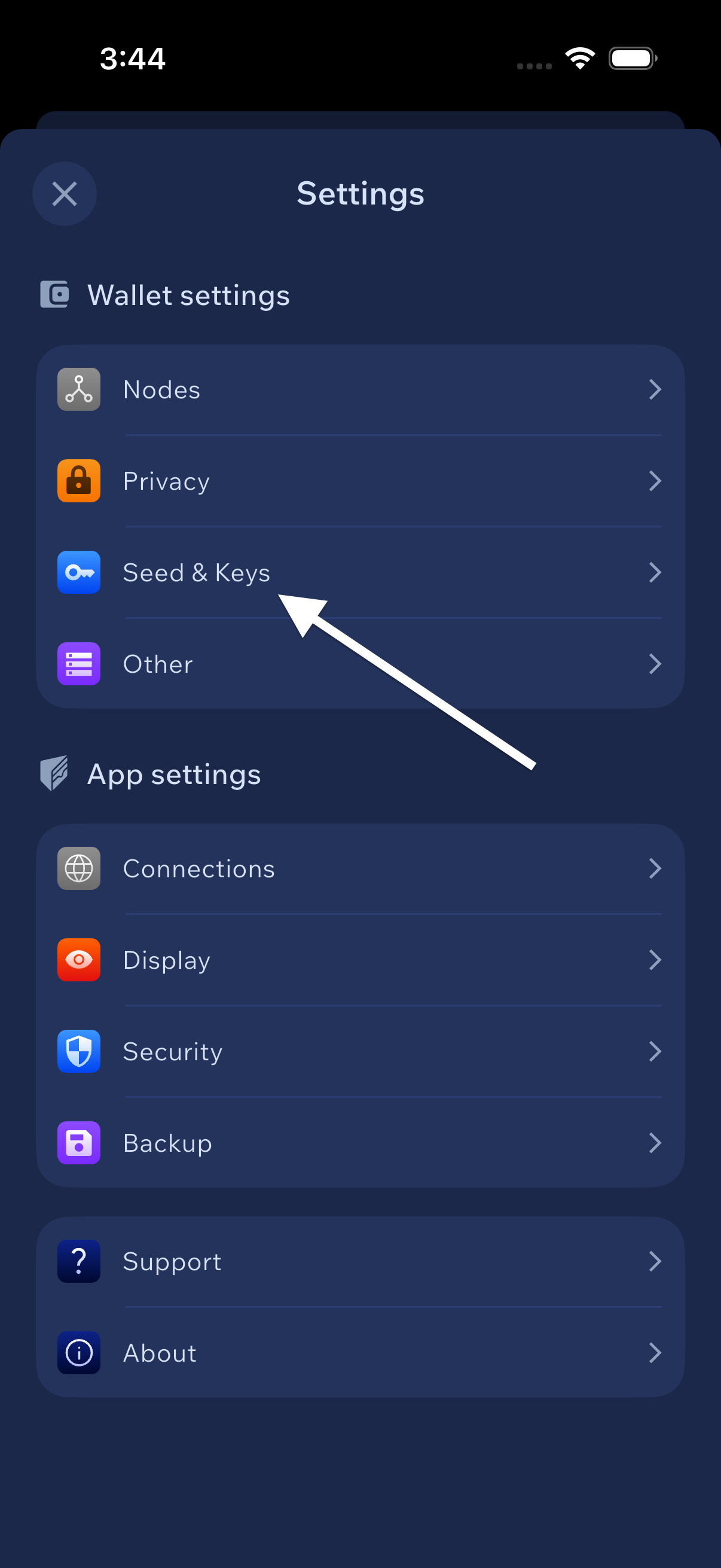
Tap the gear icon at the top right of the home screen to open Settings. Then, under Wallet settings, tap Seed & Keys. You will be prompted for your PIN, biometric authentication, or password. On the next screen, you will see your wallet's seed and keys. Cake Wallet has 1 set of these per wallet, so you must save them all individually.
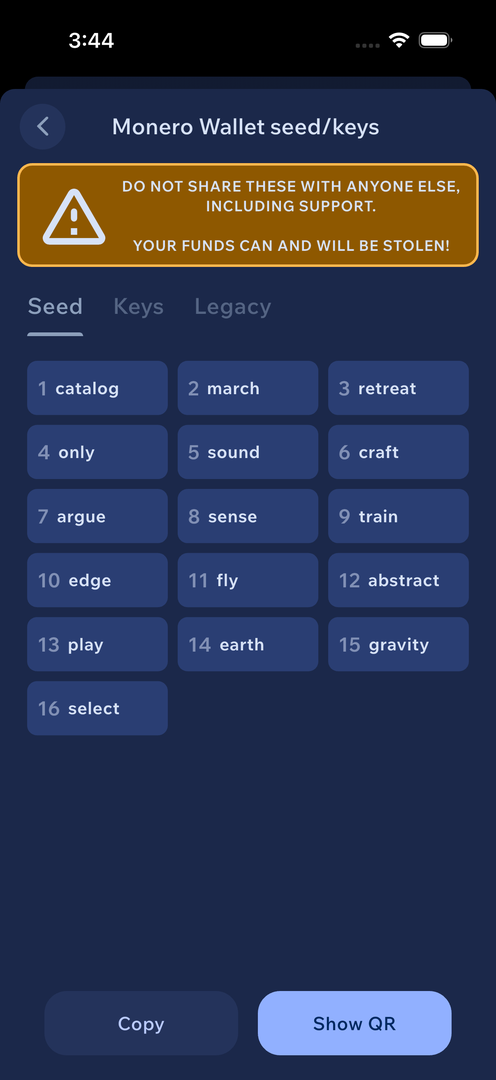
Please write down your seed/keys and store them in a safe place. This will allow you to restore your wallet if you lose your device, or otherwise cannot access the wallet.